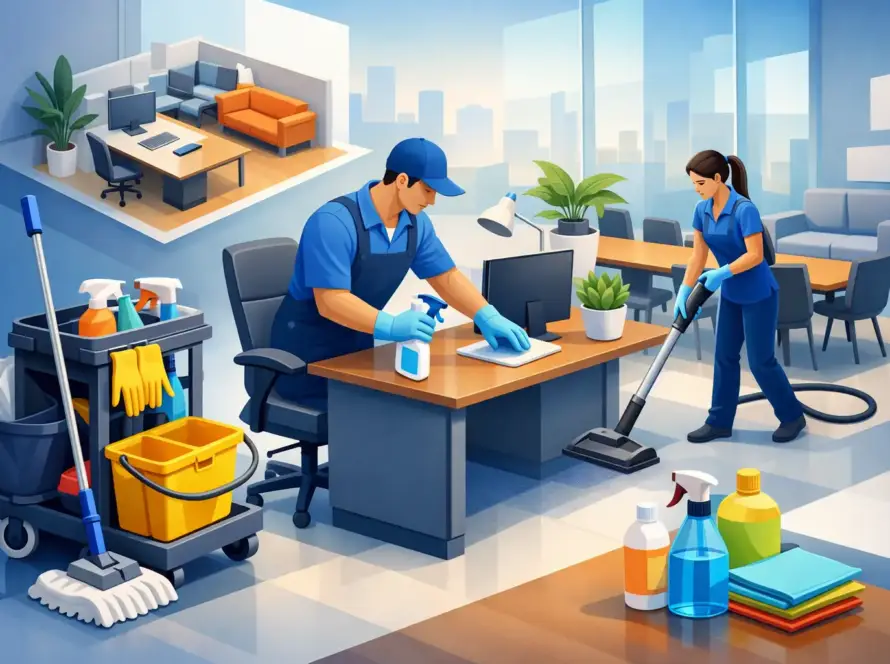
A shared keyboard can pass through several hands before lunch. The printer touchscreen, meeting-room remote, reception tablet, and break-room microwave buttons are touched even more often. To sanitize office electronics properly, your team needs a routine that reduces surface contamination without damaging expensive equipment or disrupting the workday.
For office managers, this is not about creating a complicated cleaning checklist. It is about protecting the tools people rely on, supporting a fresher workspace, and making sure high-touch areas do not get missed between regular cleaning visits.
Why Office Electronics Need Special Attention
Electronics are among the most frequently touched items in a workplace, yet they are often excluded from everyday wiping. Desks may be cleaned, bins emptied, and floors vacuumed while keyboards, mice, desk phones, and control panels remain untouched.
That gap matters most in shared spaces. A hot-desk station used by multiple employees, a boardroom used by visitors, or a reception counter serving clients can quickly become a high-contact point. Regular attention helps maintain a more professional environment and gives employees greater confidence in the cleanliness of the space.
There is also a practical reason to be careful. Screens, ports, key gaps, and coated surfaces do not tolerate the same cleaning approach as a countertop. Too much liquid, harsh chemicals, or aggressive scrubbing can cause staining, damaged coatings, sticky keys, or equipment failure. The right process balances hygiene with equipment care.
Clean First, Then Sanitize Office Electronics
Cleaning and sanitizing are related, but they are not the same task. Cleaning removes visible dust, crumbs, fingerprints, and residue. Sanitizing uses an appropriate product and contact time to reduce germs on a surface.
A keyboard covered in dust or food residue should be cleaned before it is sanitized. Otherwise, the disinfecting or sanitizing product may not work as effectively. This is especially relevant in offices where employees eat at their desks or share workstations throughout the day.
Always follow the manufacturer’s care instructions for each device. Many manufacturers specify which products are safe for screens, keyboards, touch displays, and headsets. If instructions are unavailable, use the least aggressive method that achieves the required level of cleanliness.
A Safe Process for Common Devices
Before starting, power down equipment where practical and unplug it if safe to do so. This reduces risk and makes streaks, crumbs, and residue easier to see. Never spray a cleaning or sanitizing product directly onto an electronic device.
Instead, apply the product lightly to a clean, soft microfiber cloth. The cloth should be damp, not wet. Moisture should never pool around buttons, seams, charging ports, speaker openings, or ventilation areas.
For keyboards, turn the device upside down first to remove loose debris. Use a dry microfiber cloth or suitable low-pressure air to clear dust between keys. Then wipe the key tops and surrounding surface gently with a product approved for electronics. Avoid forcing liquid beneath the keys.
For monitors, laptops, tablets, and touchscreens, begin with a dry microfiber cloth to remove dust. Follow with a lightly dampened cloth only when the device guidance allows it. Paper towels, abrasive cloths, and overly strong products can scratch screens or wear down protective coatings over time.
Desk phones, computer mice, headsets, remote controls, and card readers are easier to overlook because they have small buttons and textured surfaces. These items benefit from careful, frequent wiping, particularly when they are shared. Use a fresh section of cloth as you move from one device to another so residue is not transferred across surfaces.
Which Products Are Appropriate?
The safest product depends on the device and its manufacturer’s instructions. In many office settings, a disinfectant wipe or solution designed for electronic surfaces can be effective when used correctly. The key is not simply choosing a product labelled as a disinfectant. It must be compatible with the material you are cleaning and used for the full contact time shown on its label.
Avoid bleach, ammonia-based glass cleaners, strong solvents, and aerosol sprays unless the equipment manufacturer specifically permits them. These products can damage anti-glare coatings, plastic finishes, printed labels, and internal components.
Fragrance is not a measure of cleanliness. A well-maintained office should feel fresh without leaving strong chemical odours around workstations. Where requested, eco-friendly product options can help support workplace preferences, but they still need to be suitable for the surface and task.
Set a Frequency That Fits Your Workplace
Not every device needs the same schedule. Frequency should reflect how many people use it, how often visitors interact with it, and the nature of your workplace.
Personal equipment used by one employee may only need routine cleaning during regular office service, plus occasional attention after illness or visible soiling. Shared equipment needs more frequent care. Reception devices, hot-desking stations, conference-room controls, shared printers, and kitchen appliances may need sanitizing daily or even between users during busy periods.
A useful office routine often includes daily attention to high-touch shared electronics, weekly detailed cleaning of individual workstations, and a more thorough check during scheduled commercial cleaning. During cold and flu season, after a known illness, or when office traffic increases, it makes sense to increase frequency temporarily.
The goal is consistency, not over-cleaning. Repeated use of unsuitable products can be as problematic as neglect. A clear schedule helps staff know what is covered by the cleaning team and what employees should handle between visits.
Build Electronics Into Your Office Cleaning Plan
Office electronics should not be an afterthought added to the end of a cleaning shift. Include them in the scope of service from the start, with clear instructions about what can be touched, which workstations are private, and which shared devices require regular attention.
For security and privacy, cleaning professionals should never move files, open drawers, access computers, or interfere with cables unless this has been approved. A dependable cleaning plan respects the workplace while maintaining the visible, high-touch surfaces that support day-to-day cleanliness.
It also helps to identify ownership. Employees can be asked to clear food, papers, and personal items from desks before service. The cleaning team can then safely clean accessible surfaces around equipment and sanitize agreed-upon touchpoints. For specialized devices, such as medical equipment, production controls, or IT hardware, ask the manufacturer or internal facilities team to provide written care requirements.
Common Mistakes That Put Devices at Risk
The most common mistake is spraying product directly on a screen, keyboard, or phone. Even a small amount of excess liquid can travel into openings and cause damage that is not immediately visible.
Another mistake is using one cloth for every device in the office. This can spread dirt and residue rather than remove it. Microfiber cloths should be changed regularly, washed correctly, and kept separate from cloths used for washrooms, kitchens, or heavily soiled areas.
Finally, do not confuse a quick wipe with proper sanitizing. If a product requires a surface to remain visibly wet for a certain period, wiping it dry immediately may prevent it from performing as intended. Product labels and device instructions both matter.
Make Shared Spaces Easier to Maintain
A few practical changes can reduce the cleaning burden. Provide hand sanitizer near shared printers and reception tablets. Keep microfiber cloths and approved wipes available for employees who use hot desks or meeting rooms. Encourage staff to avoid eating directly over keyboards and to report spills promptly.
These small habits work best when paired with reliable scheduled cleaning. A professional office cleaning program can cover the details that are easy to miss during a busy week, from fingerprints on meeting-room screens to grime around shared phone buttons. Clean and Tidy can tailor recurring service around your office schedule, helping keep high-touch surfaces fresh without interrupting your team.
A cleaner workplace is built through practical routines, not one-time deep cleans. When electronics are handled with the same care as desks, washrooms, and common areas, employees and visitors notice the difference in the comfort and professionalism of the space.